Skip to content
David Despres AIby LinkTheWorlds

Case study · Product engineering

How Locum Manager brings locum administration into one mobile PWA

Locum Manager is a live mobile-first PWA in continuing development. It brings session records, expenses, bookkeeping preparation and invoices into one authenticated workspace for locum clinicians.

  • Locum clinicians · United Kingdom
  • Product design, engineering and deployment

Published · updated

Essential locum administration was spread across separate tasks.

A locum clinician needs a reliable record of upcoming and completed sessions, costs and receipts, invoices and the figures needed for bookkeeping. When those tasks live in unrelated notes, folders and spreadsheets, the administrative burden grows even when the clinical work itself has not changed.

The product brief was therefore not “add more dashboards”. It was to give the owner a clear mobile home screen, direct routes into the work that needs doing and a dependable data boundary around private financial records.
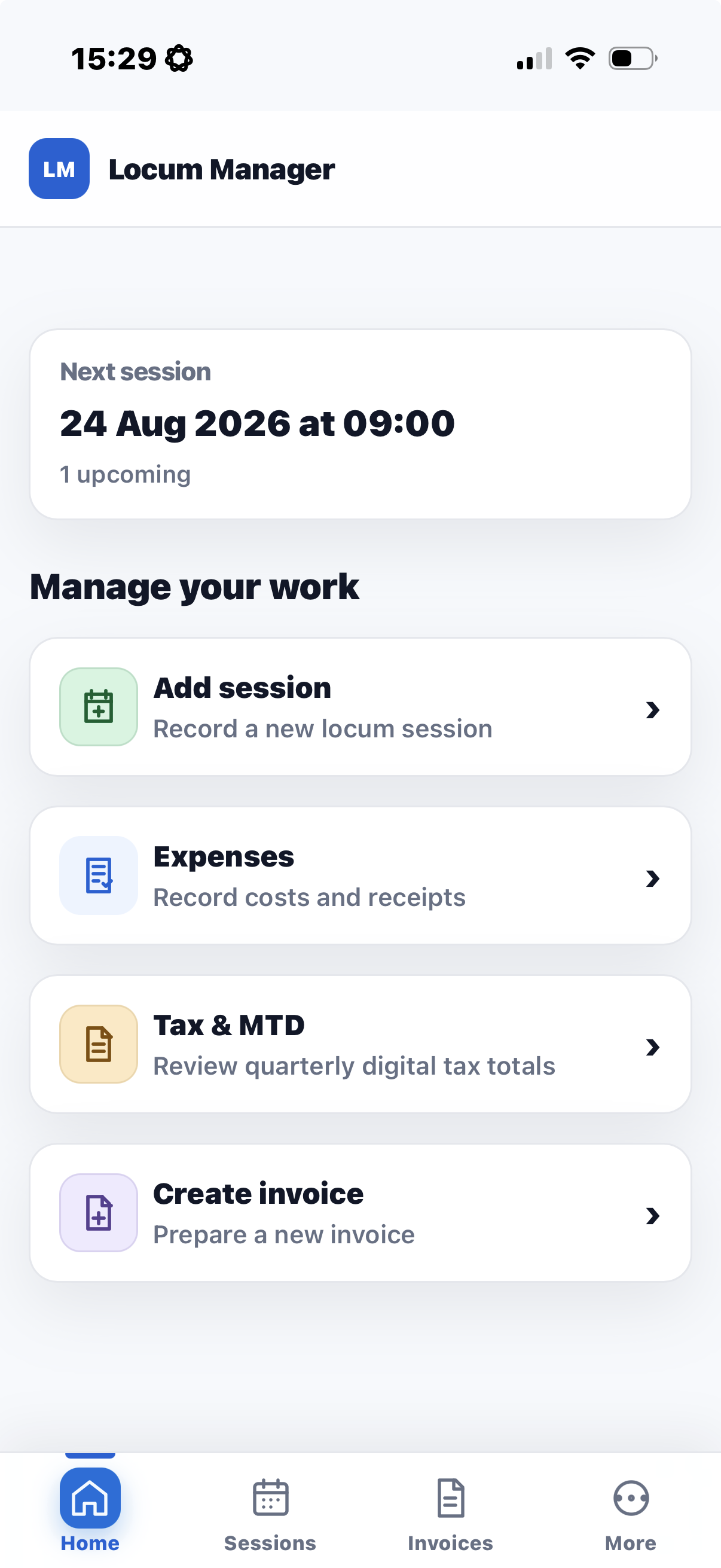
One authenticated PWA keeps the recurring workflow close at hand.

Locum Manager is built as a progressive web application so the same product can work through a modern browser and present an app-like mobile shell. The dashboard prioritises the next session and the four actions most likely to be needed while moving between practices: add a session, record an expense, review Tax & MTD preparation, or create an invoice.

The navigation stays deliberately small: Home, Sessions, Invoices and More. This keeps the core workflow reachable without turning the first screen into an accounting system or exposing sensitive records outside the authenticated experience.

Locum Manager mobile dashboard showing the next session and actions for sessions, expenses, Tax and MTD, and invoices
Authenticated Locum Manager mobile dashboard. The screenshot shows the task-focused home view; it does not represent every screen or planned feature.

The live release connects day-to-day work with bookkeeping preparation.

  • Next session: the home view surfaces the next recorded engagement and the number of upcoming sessions.
  • Session management: a direct action records a new locum session and the Sessions area keeps the work history accessible.
  • Expenses and receipts: costs can be recorded with supporting receipts kept in private storage.
  • Tax & MTD: the product reviews quarterly digital bookkeeping totals and prepares exports for the wider filing workflow.
  • Invoices: invoice preparation is available as a first-class task rather than an unrelated external step.

MTD boundary: Tax & MTD prepares bookkeeping totals and exports. Locum Manager does not submit a tax return or filing to HMRC.

Private records stay behind the authenticated product boundary.

The production release was checked for database row-level access controls on expense records and for private receipt storage. Those controls matter because an expense entry and its supporting document may contain commercially sensitive information even when no patient information is involved.

The public case study contains no clinician records, financial totals, credentials, project identifiers or private infrastructure details. The screenshot was explicitly approved for publication and shows product navigation rather than a real person’s financial history.

The product was released through database, web and authenticated acceptance gates.

The verified release process checked the required database changes before promoting the web application, ran automated unit, database and browser journeys, and retained rollback evidence. Authenticated production acceptance then loaded the dashboard and the Expenses and Tax & MTD routes without changing, exporting or submitting user data.

This evidence establishes that the pictured workflow is part of a live product. It does not establish adoption, time saved or financial outcomes, so this case study makes none of those claims.

Live does not mean finished.

Locum Manager remains in continuing development. Navigation and information hierarchy are still being refined, and any new payment, filing or data-handling capability must pass its own privacy, database, browser and production-acceptance gates before it can be described as complete.

The product currently supports bookkeeping preparation; it is not presented as tax advice, accounting advice or an HMRC filing service.

How this case study was evidenced

This is a first-party product account by the designer and engineer, not an independent customer audit. Public claims are limited to the user-approved dashboard screenshot and previously verified release, database and read-only authenticated acceptance evidence.

No result metric is inferred from the interface. “Live” refers to the deployed production web release; “continuing development” states that planned refinements and their final production acceptance remain separate work.

Next step

Need a focused operational product?

If recurring work is split across forms, spreadsheets, receipts and inboxes, the useful first step is to map the records, decisions and privacy boundaries before building the interface.