MailCraft · Despres Connect edition
Your mail.
Your calendar.
A clearer day.
A desktop home for email, appointments and contacts. Explore David’s independently maintained edition of the open-source MailCraft project.
Free and open source · Windows & Mac · Early alpha
 MailCraft / mail workspaceSample data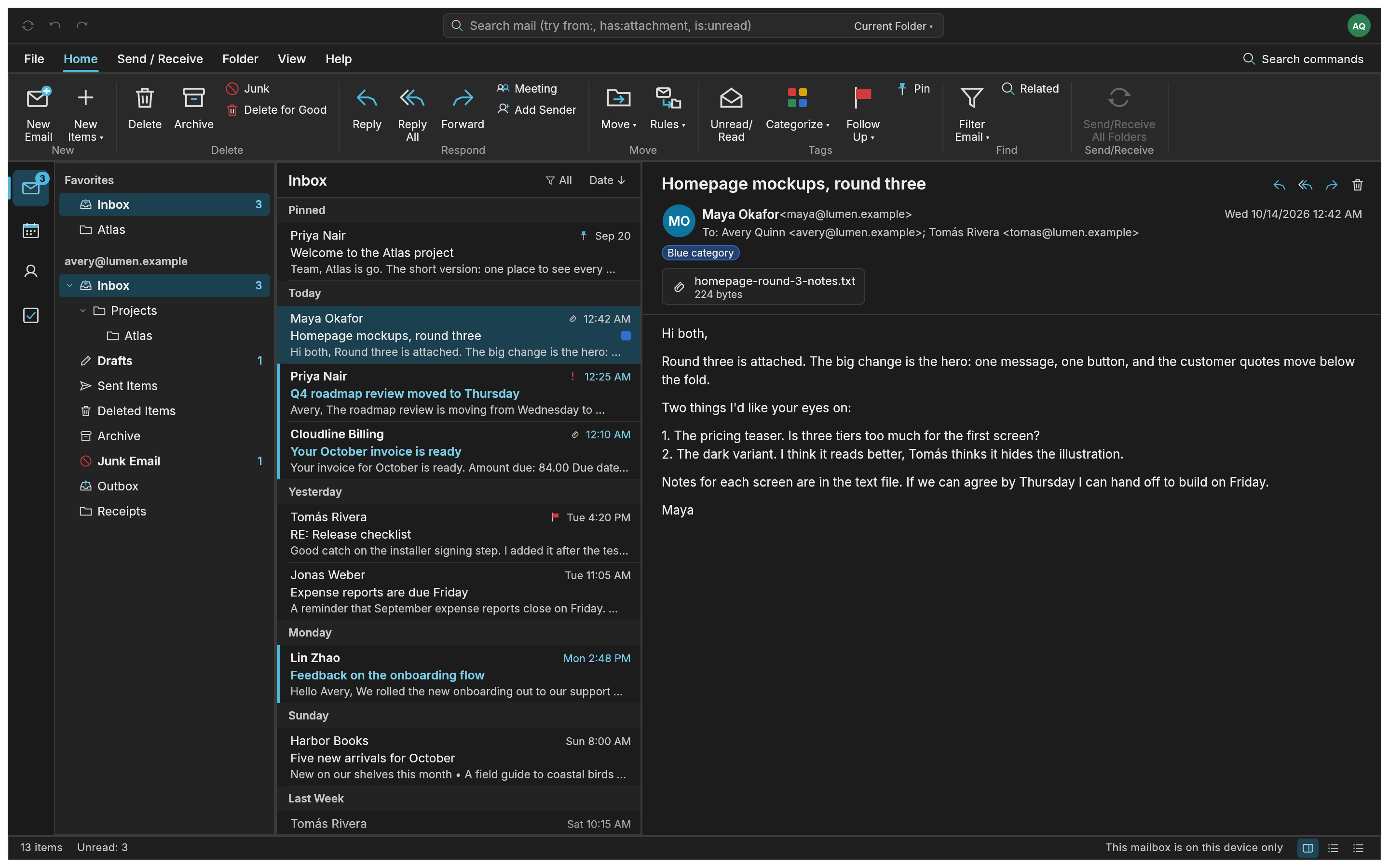
This is an early-alpha release for testing, not a finished replacement for your everyday mail app. Back up your mailbox data before trying it or upgrading.
A closer look
Less switching.
More of your day in view.
A workspace that feels familiar
Read messages, organise folders and work with attachments in a desktop interface. The Despres Connect edition also includes work on password-based account setup and calendar/contact synchronisation.
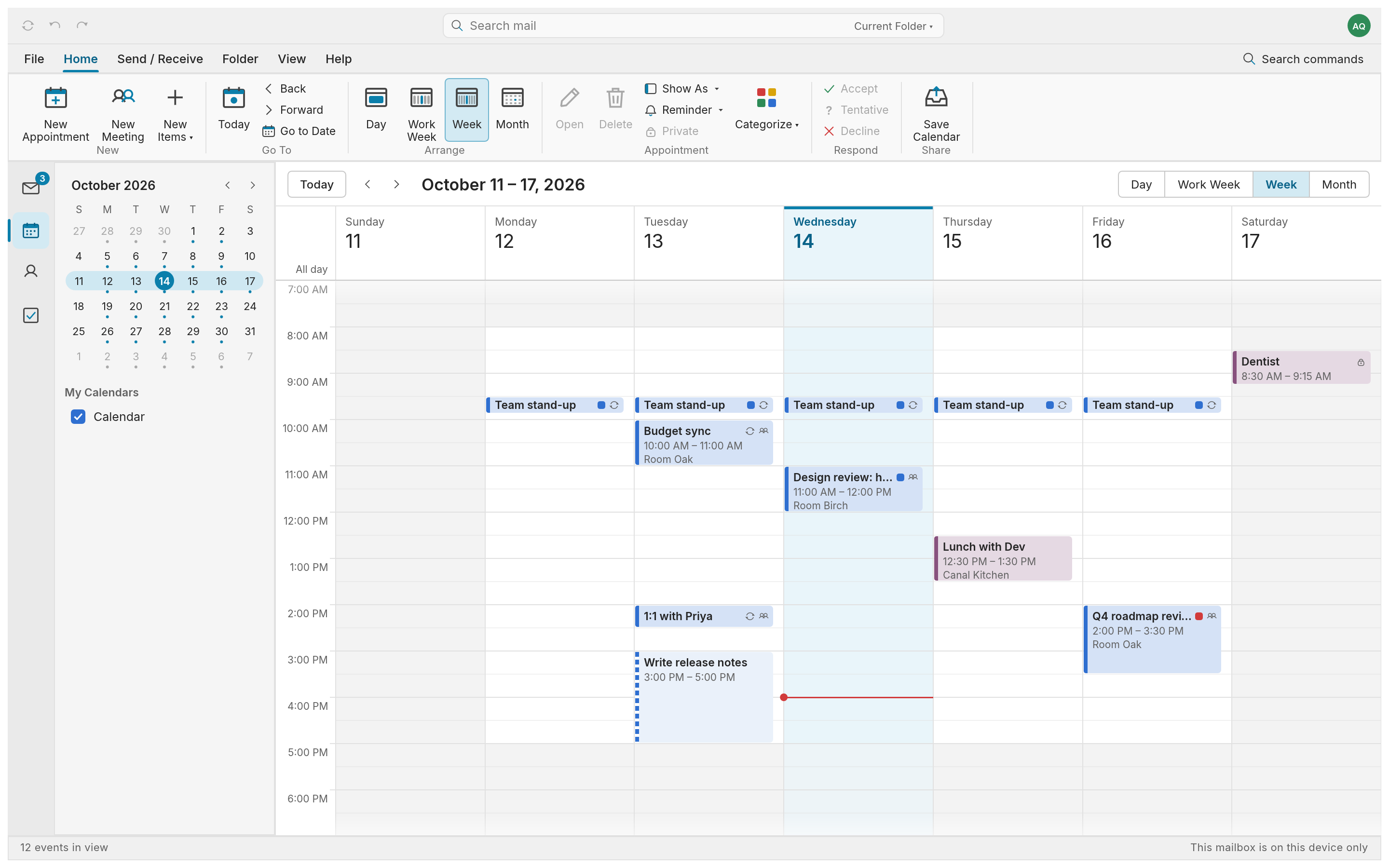
Make room for what’s next
See appointments in a weekly calendar and keep contact details alongside your mail. Provider support and synchronisation are still developing, so test with a backed-up account first.
Read what this edition includes ↗Get MailCraft
Choose your computer.
Despres Connect edition 0.4.3 · Release v0.4.3-despres.2
Published 19 October 2026. Files checked 24 October 2026.
Windows installer
Windows 11 · Intel / AMD x64 · MSI · 16.9 MB
Mac
macOS 11 or later · Apple Silicon & Intel · DMG · 33.2 MB
Windows portable
Windows 11 · Intel / AMD x64 · ZIP · 21.1 MB
Extract the ZIP and open mailcraft.exe.
Buttons start a file download from David’s GitHub release. No native Windows ARM installer is included. View SHA-256 checksums · Release notes and source
Before you install
These builds are not signed with a recognised publisher certificate. The Mac build is ad-hoc signed and is not Apple-notarised. Your computer may display a security prompt. Only continue if you trust the source; keep your system’s security protections enabled.
Mac: open the DMG and drag MailCraft into Applications. Windows: run the MSI, or extract the portable ZIP. Back up both your app and mailbox data before upgrading. This release uses mailbox storage format 3; a rollback needs the matching data backup.
Download and checksum checks confirm the files are available and intact. They do not establish compatibility with every computer or mail provider. Report a problem without posting passwords or private messages.
Looking for the original project? Upstream MailCraft releases ↗ are maintained separately and may be newer. This customised edition is not the latest upstream release.
For your iPhone
Just need your account
on your phone?
The iPhone setup guide helps supported Despres-hosted accounts use Apple’s Mail, Calendar and Contacts apps. It is separate from the MailCraft desktop downloads.
Already have the account on your phone? Check the guide before installing a profile to avoid adding it twice.
Open iPhone email setupNo desktop installer needed.
Start in Safari on your iPhone.
The people behind it
Open source.
With David’s contribution.
MailCraft is an open-source project maintained by UCS Care Group and its contributors. David’s Despres Connect edition builds on that project via billsecond/mailcraft, with work on account setup, credential handling and calendar/contact sync.
The new upstream contributions are proposed work, not features promised in the downloadable build: credential regression tests, IMAP authentication and DAV document foundations.
MailCraft is available under MIT or Apache-2.0. Screenshots show the project’s fictional sample mailbox and calendar. Edition source & licences · Screenshot and artwork notices · Original project.
Page by David Despres · Reviewed 24 October 2026
Need a hand with setup? Talk to David →